
Gambling recovery app for iPhone
THE SPACE
BETWEEN
you and the urge.
Block selected gambling apps and websites, track your gambling-free streak, and set savings goals with UrgeShield for iPhone.
The moment this exists for
There's no warning. The urge doesn't wait for business hours, a good mood, or the right moment. It just shows up.
UrgeShield adds a pause. Choose apps and sites to block, see your streak, and keep support resources close.
No feed. No leaderboard. Nothing designed to keep you scrolling — just the tools that actually help.
Inside the app
Your tools, at a glance.
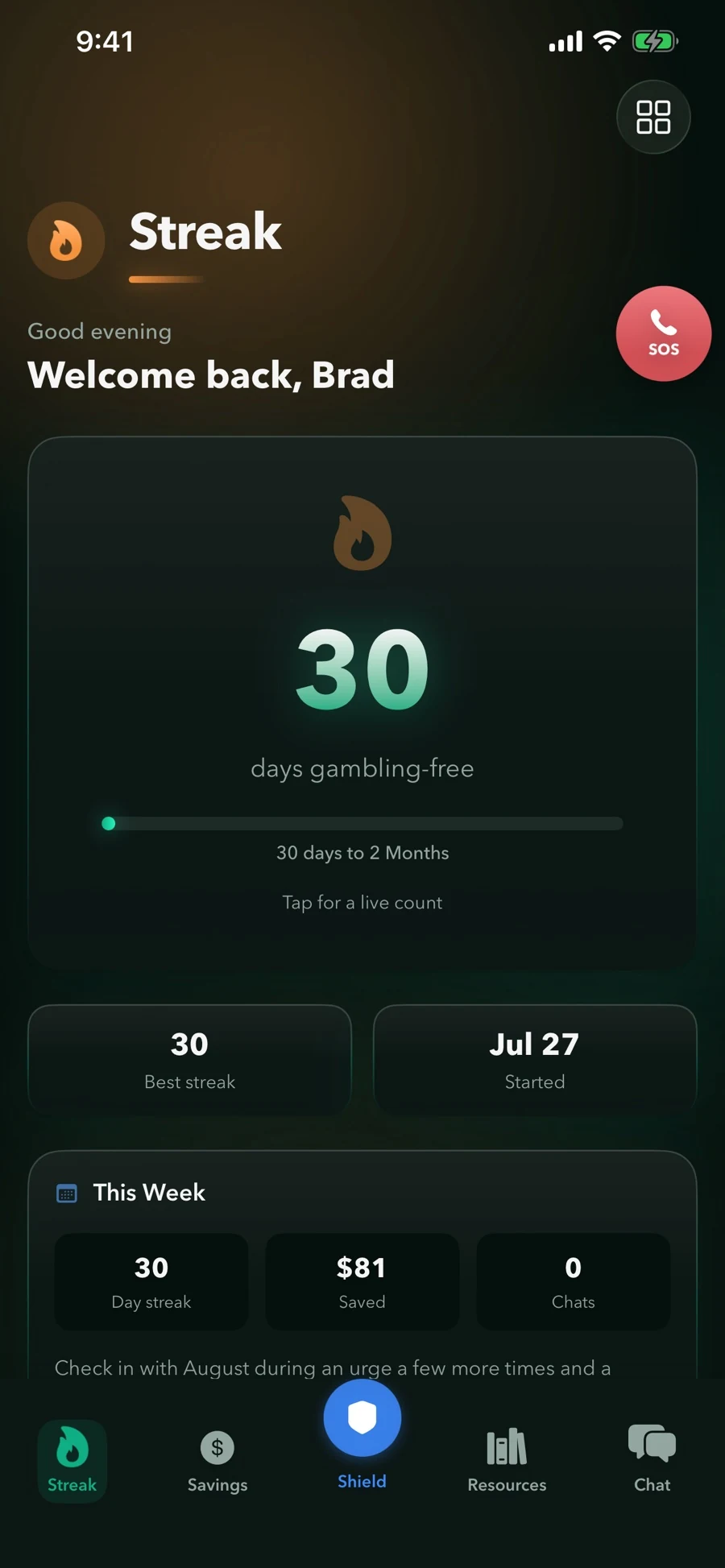
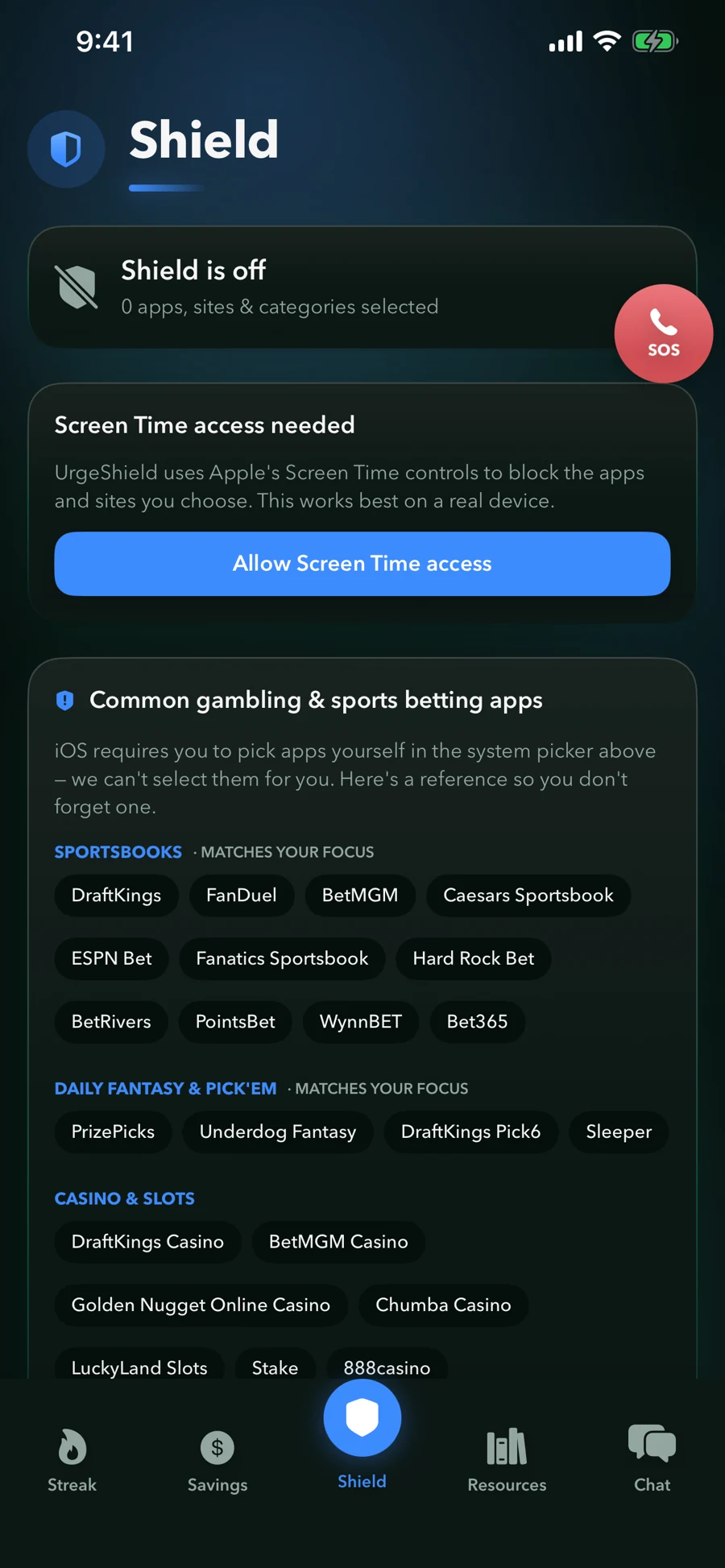
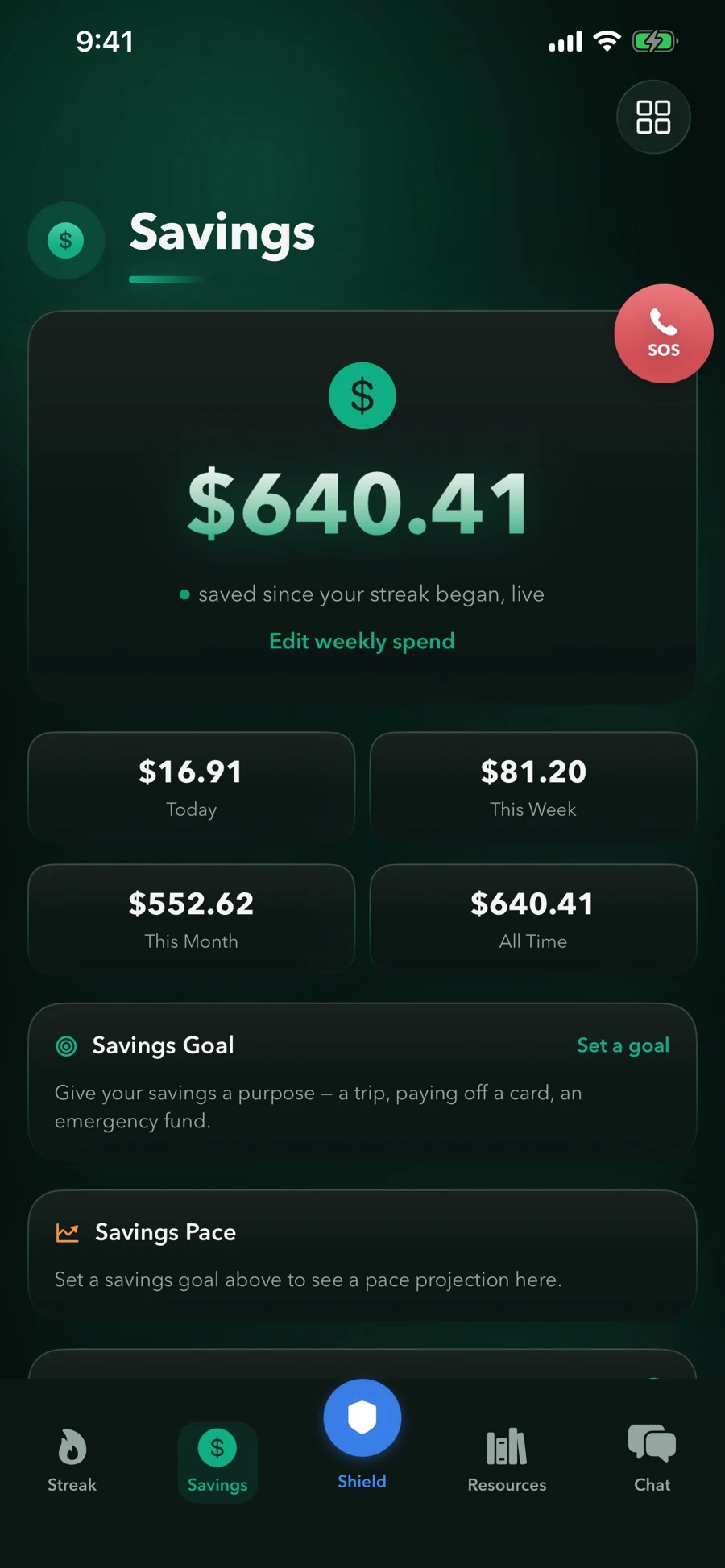
Example screens. Streak and savings figures depend on the dates and spending information entered; they are not promised results.
What it does
Practical tools. One place.
Streak
A live counter with milestones and your personal best — something concrete to point to on a hard day.
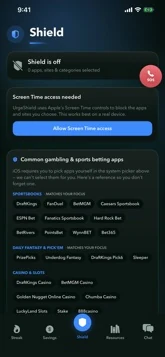
Shield
Blocks the apps and websites you select through Apple’s Screen Time controls, with a 24-hour delay in the in-app unblock flow.
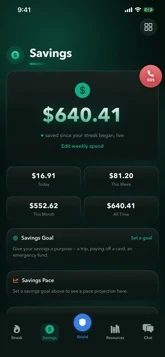
Savings
Uses your usual weekly gambling spend to estimate money not spent, with personal goals you choose. Estimates are not bank balances.
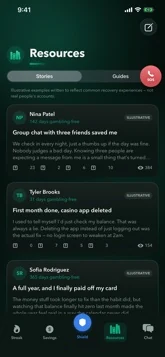
Resources
Curated recovery guides, clearly labeled — never presented as something they're not.
SOS
One tap from anywhere in the app routes straight to the National Problem Gambling Helpline.
Nothing here is a pitch
Just what's true.
I built UrgeShield because I've been on the other side of this — the version of the app I needed didn't exist. Not a habit tracker with a gambling label stuck on it. Something built around how an urge actually happens: suddenly, usually late, with your phone already in your hand.
How it works
Four steps. No onboarding maze.
Set up privately
No account, no email, no sign-up. Just open it.
Start your streak
Mark day one. The counter does the rest, quietly, in the background.
Block what pulls you back
Choose your apps and sites. Requests to unblock inside UrgeShield include a 24-hour delay.
Keep support close
Browse support resources and choose a service when you want help.
Trial & subscription
Explore UrgeShield on iPhone.
- Selected app and website blocking with a 24-hour in-app unblock delay
- Gambling-free streak tracking and milestones
- Savings estimates and personal goals
- Support resources
Before you download
Questions worth answering honestly.
How does UrgeShield block gambling apps and websites?
You grant Screen Time access and select the apps and websites you want to shield. A request to turn blocking off inside UrgeShield starts a 24-hour delay. This adds a pause to that in-app action; it does not guarantee that every device setting or route to gambling is blocked. Our iPhone blocking guide explains built-in website controls too.
How are the savings figures calculated?
Savings estimates use the usual weekly gambling spend you enter and time tracked in your streak. They are not verified bank balances or promised savings. You can explore the same kind of input-based arithmetic with our gambling loss calculator.
Is UrgeShield available for Android?
UrgeShield is an iPhone app. Check the App Store listing for current device and iOS requirements. These iPhone controls do not automatically apply to other devices.
How do the trial and subscription work?
UrgeShield is offered through the App Store with subscription options and a 7-day trial where eligible. The App Store shows the current price, renewal period, trial eligibility, and cancellation terms before purchase.
Where can I find gambling support?
UrgeShield is a supportive tool, not professional treatment. The National Council on Problem Gambling’s help resources can connect U.S. readers with support services. Our friends and family guide includes resources for people affected by someone else’s gambling.
Where can I read about privacy and chat features?
Read the published privacy policy for details about app data, iCloud, and optional services. The current App Store description and release notes list chat features. For a question about your version, contact admin@urgeshield.com.
Something between you and the urge.
UrgeShield is available on the App Store. For gambling support services in the U.S., explore the National Council on Problem Gambling’s help resources.
Free guides & tools
Start with one practical step.
How to Block Gambling Sites on iPhone
Use iPhone Screen Time to restrict specific gambling websites, understand its limits, and see how UrgeShield handles the apps and sites you select.
Explore guide →How to Stop Sports Betting: Practical Next Steps
Find official support, check self-exclusion options, and review phone access when you want to stop sports betting. A practical guide without promises or timelines.
Explore guide →Signs That Gambling May Be Causing Problems
Recognize concerns worth discussing, find official gambling self-assessment resources, and understand why a spending figure or streak cannot diagnose a problem.
Explore guide →How to Help Someone With a Gambling Problem
Find support for friends and family affected by gambling, prepare for a conversation, and understand the limits of helping with a blocking app.
Explore guide →Gambling Loss Calculator: Weekly, Yearly & Total Costs
Estimate gambling losses and time spent from your own weekly average. See the calculation, change the assumptions, and explore practical next steps.
Explore calculator →